Android
device are automatically added in your Google account when you logged
in to your Google play store thus it makes very much sense if you lost,
sold or changed your Android device so How to remove that Android device
from your Google play store account ?
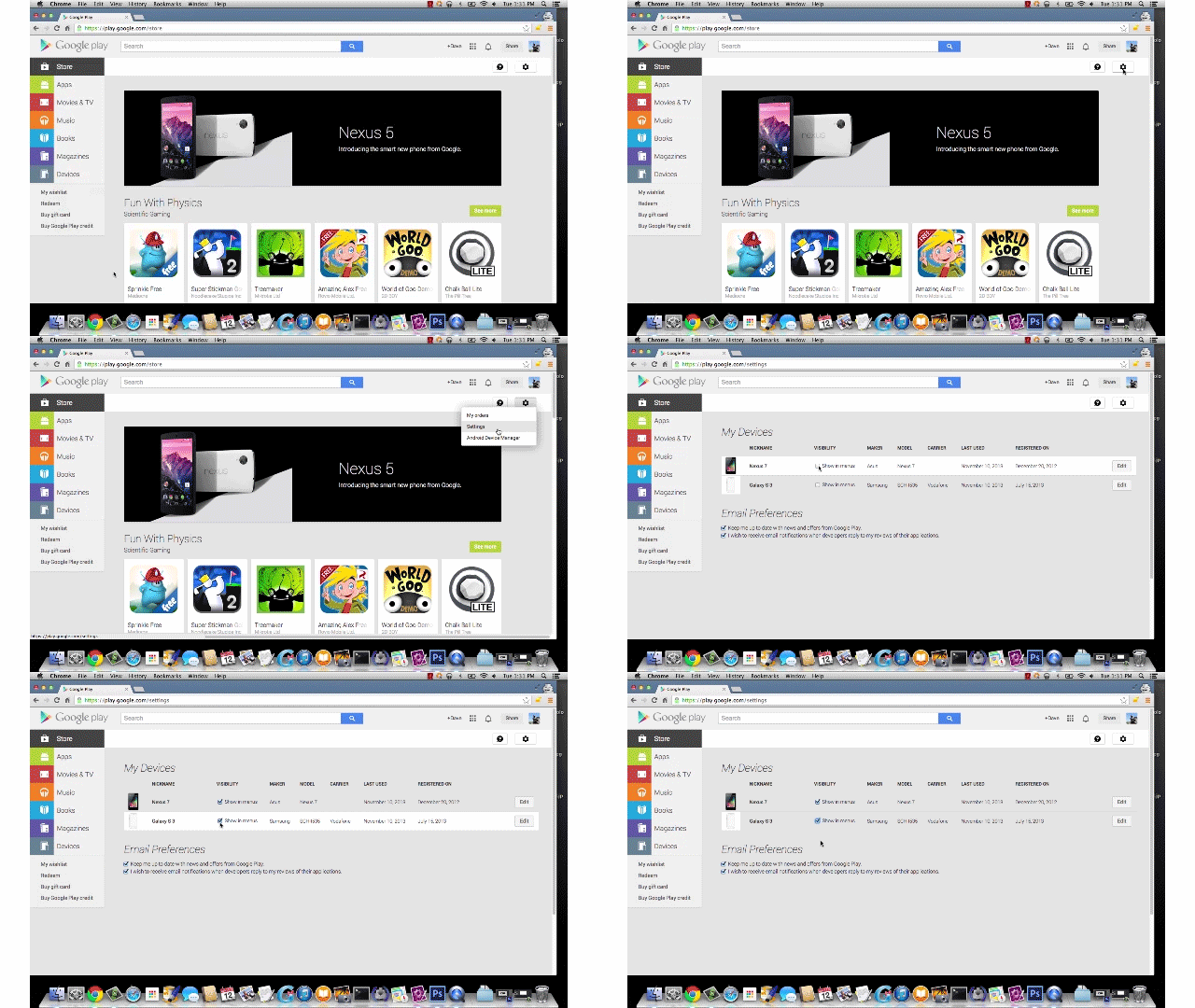
there is a Simple method is avialable to change name, remove device or add new devices on Google play store setting.
Source :- Google help.
That’s very easy process to remove or rename any device in your Google account.
there is a Simple method is avialable to change name, remove device or add new devices on Google play store setting.
- Open Google play.
- Navigate to setting. ( gear Icon on play store )
- Now rename devices there select them or delete them.
Source :- Google help.
That’s very easy process to remove or rename any device in your Google account.
THANKS FOR VISIT !


No comments:
Post a Comment